> For the complete documentation index, see [llms.txt](https://help.margex.com/help-center/llms.txt). Markdown versions of documentation pages are available by appending `.md` to page URLs; this page is available as [Markdown](https://help.margex.com/help-center/converter/history.md).
# Conversion History
## Conversion History
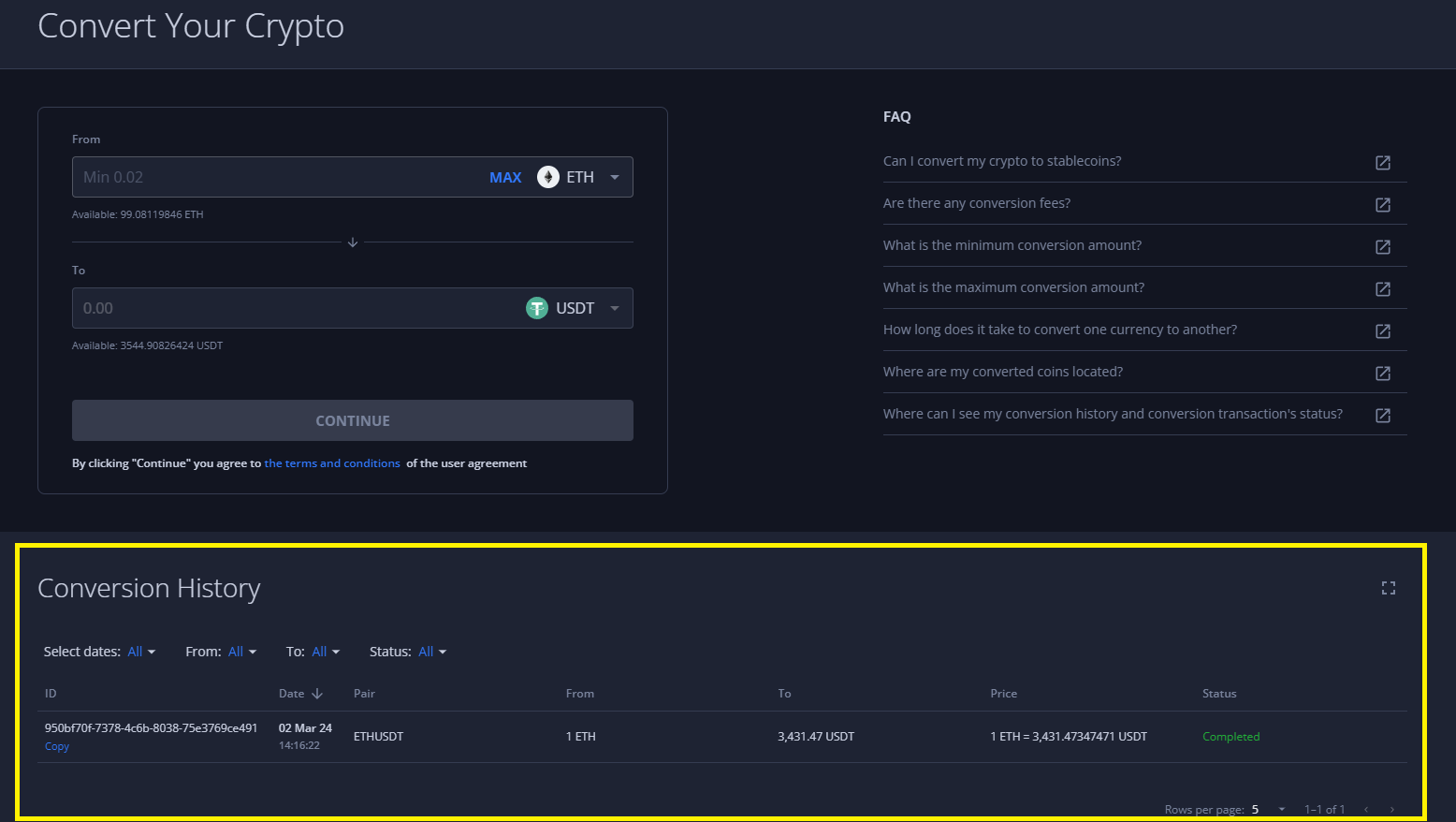
The full history of all your finalized and created exchange transactions will be reflected on the 'Convert' page of your Margex account, at the bottom of the web-page, in the 'Conversion History':
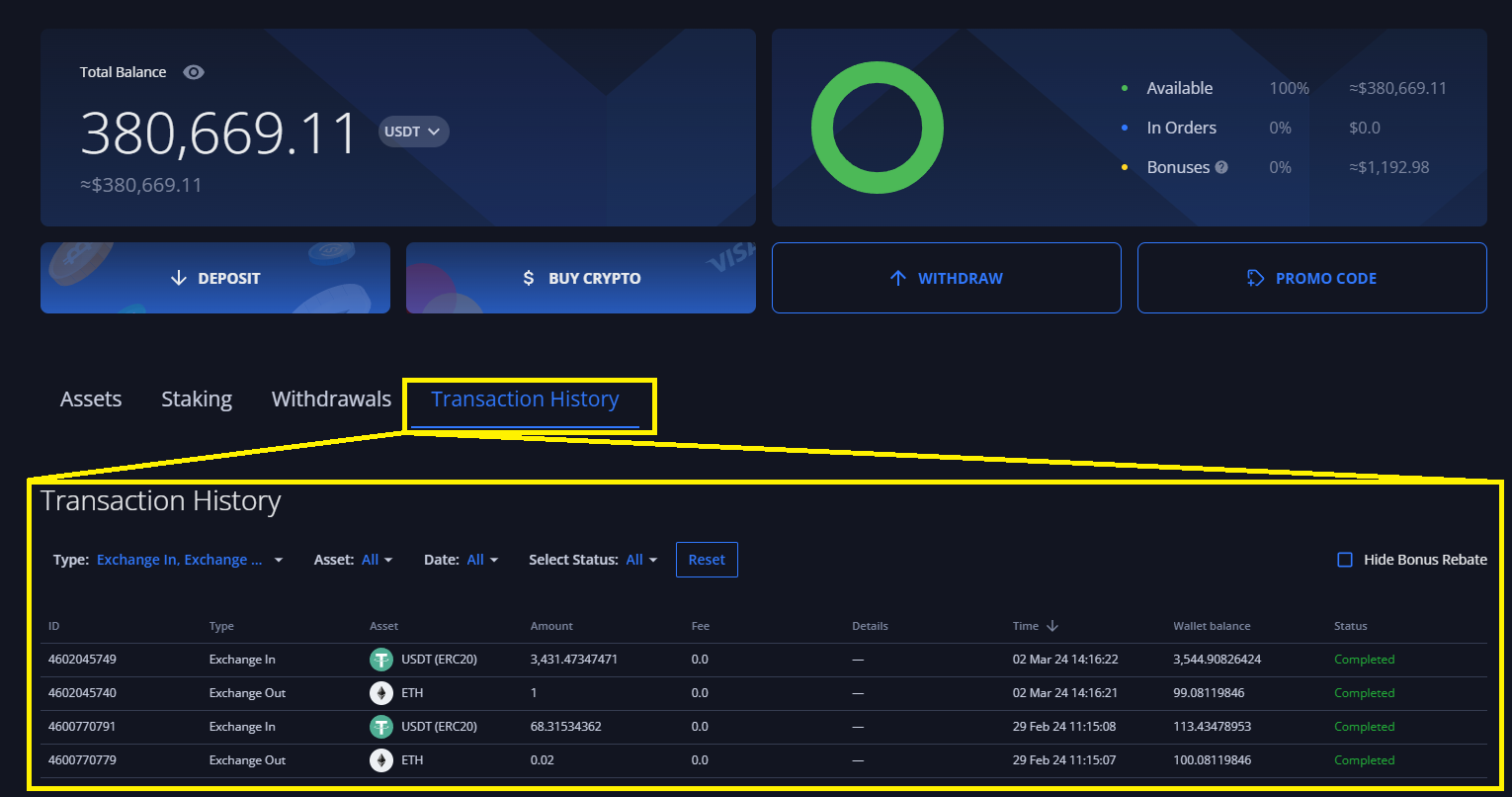
Also, all the outgoing and incoming transactions to/from your Wallets will be reflected on the 'Wallet' page of your Margex account. Such transactions will be market as 'Exchange Out' for collaterals you're exchaning from and 'Exchange In' for collaterals you're receiving as a result of conversion: