> For the complete documentation index, see [llms.txt](https://help.margex.com/help-center/llms.txt). Markdown versions of documentation pages are available by appending `.md` to page URLs; this page is available as [Markdown](https://help.margex.com/help-center/de/copy-trading/followers/manage-followings.md).
# Portfolio der Follower
Verwalten Sie alle Ihre aktiven Abonnements in Ihrem Portfolio-Menü: Hier können Sie Geldmittel hinzufügen/abziehen, Statistiken überprüfen und verfolgte Strategien sowie die Portfolio-Performance.
*Um zu erfahren, wie man einer Strategie folgt, sollten Sie sicherstellen, dass Sie unseren kurzen Anfängerleitfaden für Follower überprüfen:* [*Schnellstart: Wie man einer Strategie folgt*](/help-center/de/copy-trading/followers/quick-start-how-to-follow.md)*.*
***
## Wie man seine aktiven Followings verwaltet
Alle aktiven Followings eines Followers werden in seinem Copytrading-[Portfolio ](https://margex.com/app/copytrading/portfolio)angezeigt:
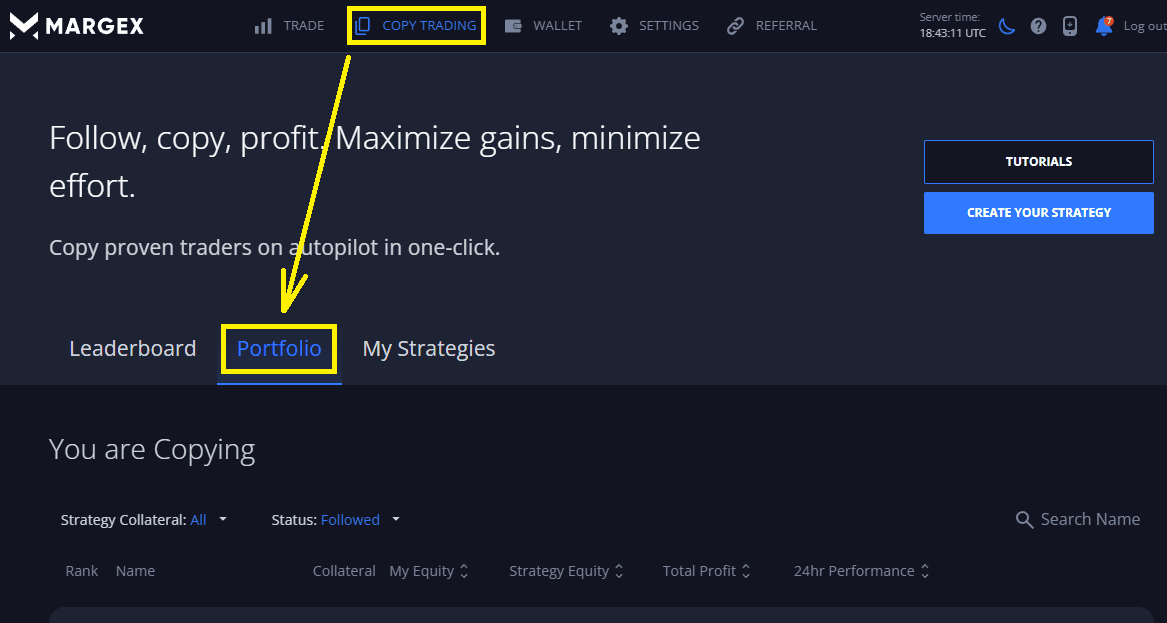 Hier können Follower alle ihre aktiven Followings verwalten und die Statistiken der Followings einsehen:
1. **Gelder** zu ihren aktiven Followings hinzufügen oder von ihnen **abheben** (weitere Informationen zu Ein- und [Auszahlungen von Geldern ](/help-center/de/copy-trading/follower-tiers-rewards.md#strategy-rollover)aus aktiven Followings finden Sie in den Strategie-Rollovers):
Hier können Follower alle ihre aktiven Followings verwalten und die Statistiken der Followings einsehen:
1. **Gelder** zu ihren aktiven Followings hinzufügen oder von ihnen **abheben** (weitere Informationen zu Ein- und [Auszahlungen von Geldern ](/help-center/de/copy-trading/follower-tiers-rewards.md#strategy-rollover)aus aktiven Followings finden Sie in den Strategie-Rollovers):
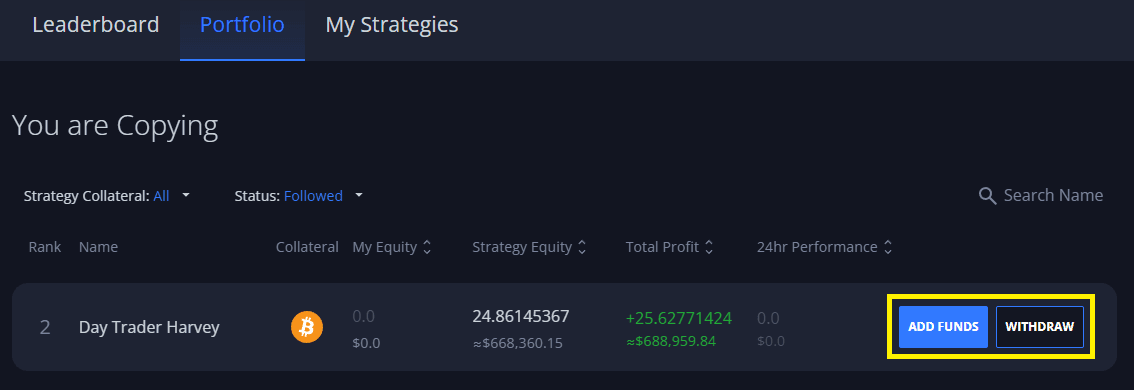 Alle Anfragen zur Einzahlung/Auszahlung von Geldern aus einem aktiven Following werden während des entsprechenden Rollovers der Strategie bearbeitet.
2. Den aktuellen Status der aktiven Followings und die entsprechenden Statistiken der Strategie überprüfen (wie Strategie-Eigenkapital, ROE, Rentabilitätsdiagramme usw.):
Alle Anfragen zur Einzahlung/Auszahlung von Geldern aus einem aktiven Following werden während des entsprechenden Rollovers der Strategie bearbeitet.
2. Den aktuellen Status der aktiven Followings und die entsprechenden Statistiken der Strategie überprüfen (wie Strategie-Eigenkapital, ROE, Rentabilitätsdiagramme usw.):
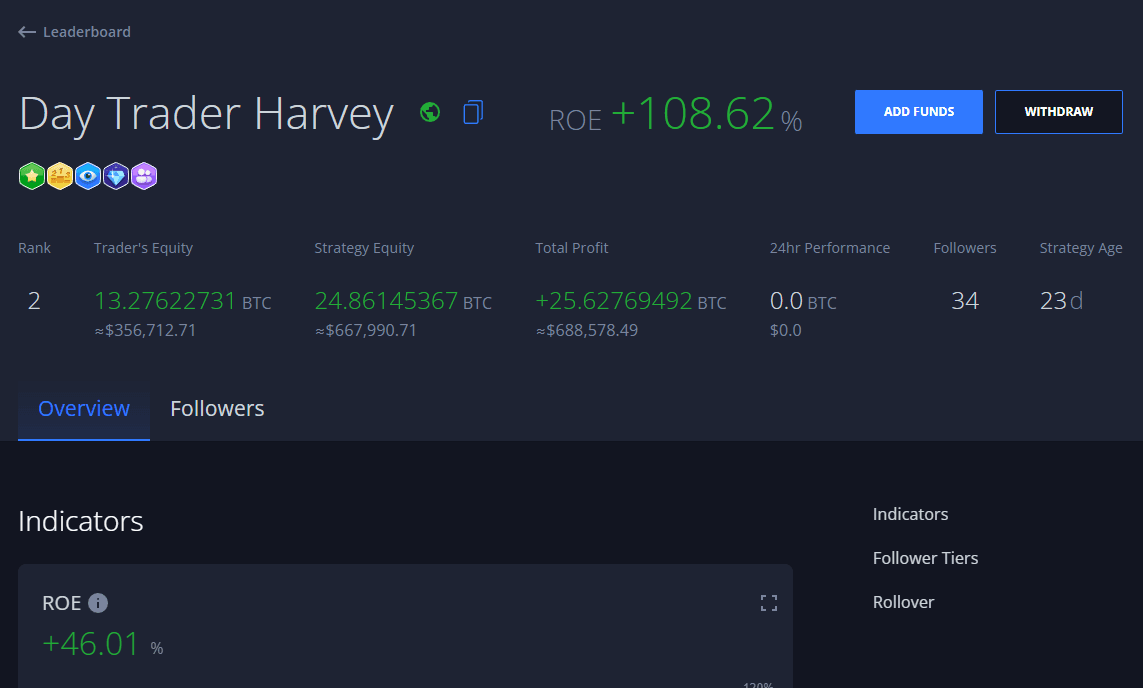
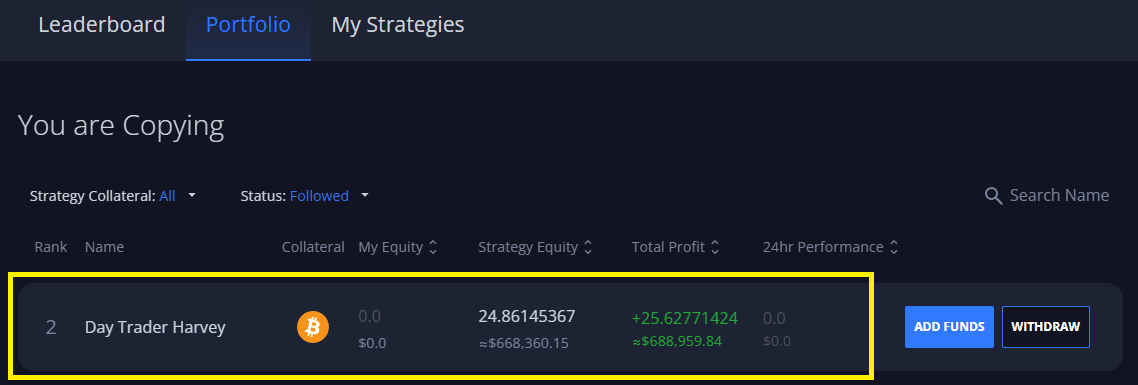 Ein Klick auf ein Following öffnet die entsprechende Statistikseite der Strategie, auf der Follower alle Details der Strategie finden können, einschließlich einer Aufschlüsselung des Eigenkapitals, ROE%, Rentabilitätsdiagramme, Handelsgeschichte, Follower-Statistiken usw.:
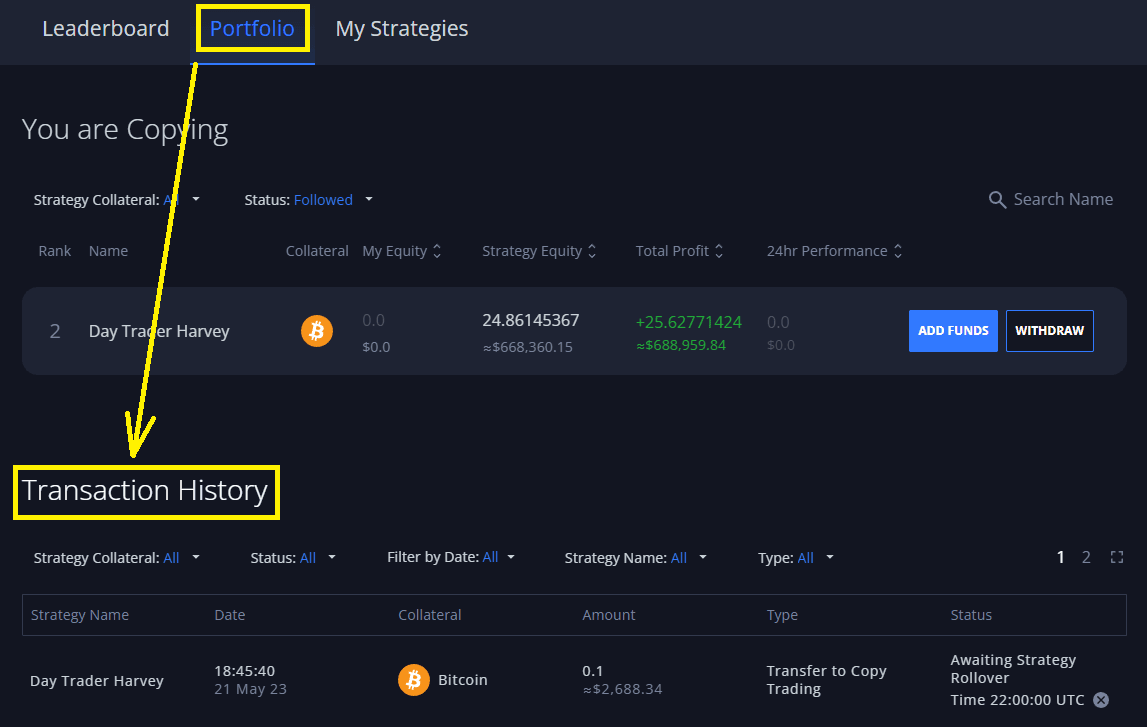
 3. Transaktionshistorie - spiegelt alle Transaktionen im Zusammenhang mit Ihrem Following-Portfolio wider. Dies umfasst abgeschlossene und ausstehende Ein- und Auszahlungen zu/from Strategies, [Profit Share](/help-center/de/copy-trading/follower-tiers-rewards.md#follower-tiers) (Belohnungen), die einem Trader einer Strategie zugeteilt wurden, usw.: