> For the complete documentation index, see [llms.txt](https://help.margex.com/help-center/llms.txt). Markdown versions of documentation pages are available by appending `.md` to page URLs; this page is available as [Markdown](https://help.margex.com/help-center/fa/account-and-security/security/account-activity-notifications.md).
# اعلان های ایمیل
Email notifications add an extra layer of security to an account and provide traders with tools to keep track of their account activity. Email notifications can be turned on/off on the Settings page.
اعلانهای ایمیل یک لایه امنیتی اضافی به حساب اضافه میکنند و ابزارها و کاربردهای بیشتری را برای پیگیری فعالیتهای حسابشان در اختیار معاملهگران قرار میدهند.
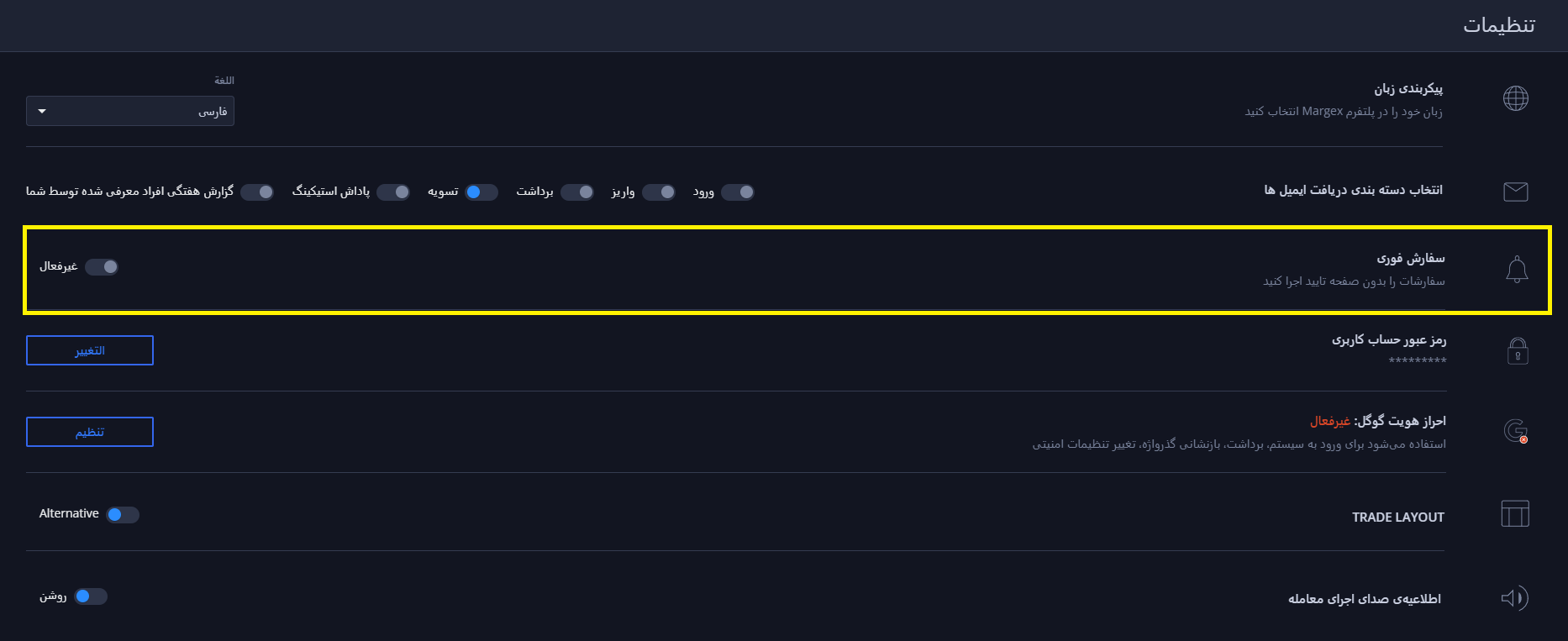
با کلیک بر روی نماد نمایه و سپس روی دکمه تنظیمات به صفحه تنظیمات حساب کاربری خود بروید:
اعلان های ایمیل لازم را فعال/غیرفعال کنید:
* **ورود به سیستم**: تمام تلاش ها برای ورود به حساب شما
* **برداشت**: تمام برداشت های انجام شده از حساب شما
* **جوایز شرط بندی** همه جوایز شرط بندی به کیف پول مارجکس شما
* **سپرده**: تمام واریزهای انجام شده به حساب شما
* **لیکوئید شدن**: انحلال هر سمت
* **گزارش ارجاع هفتگی**: تمامی آمار ارجاعات
### اعلانهای درونبرنامهای (**سفارشهای فوری**)
قابلیت درونبرنامهای **سفارشهای فوری**، امکان ثبت معامله با یک کلیک را فراهم میکند:
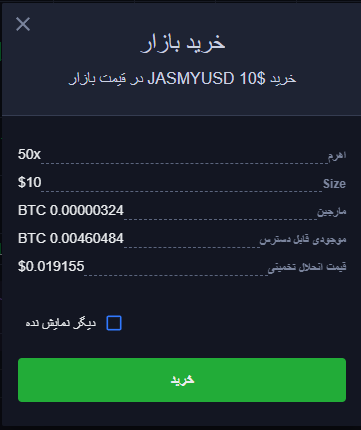
وقتی فعال باشد، ثبت سفارش نیاز به تایید اضافی ندارد در صورت غیرفعال شدن، با ثبت سفارش پنجره تایید اضافی نمایان می شود.
این ویژگی به معاملهگران اجازه میدهد تا با **حذف تمام پنجرههای تأیید سفارش**، سفارشها را سریعتر ثبت و مدیریت کنند، مانند:
{% hint style="info" %}
در حالی که فعال است، سفارشها **بلافاصله** با کلیک بر روی دکمههای خرید یا فروش در ماژول ثبت سفارش، بدون هیچ گونه درخواست تأیید اضافی، با در نظر گرفتن پارامترهای سفارش تنظیم شده در آن زمان، ارسال میشوند.
{% endhint %}
مهم است که هنگام استفاده از این ویژگی مراقب باشید تا از باز کردن معاملات تصادفی جلوگیری کنید.