> For the complete documentation index, see [llms.txt](https://help.margex.com/help-center/llms.txt). Markdown versions of documentation pages are available by appending `.md` to page URLs; this page is available as [Markdown](https://help.margex.com/help-center/it/copy-trading/followers/manage-followings.md).
# Portafoglio dei Follower
Gestione dei tuoi seguiti attivi nel menu del tuo portafoglio: qui puoi aggiungere/ritirare i tuoi fondi, consultare le statistiche delle strategie seguite e monitorare le performance del portafoglio.
*Per imparare come iniziare a seguire una strategia, assicurati di consultare la nostra breve guida per principianti per i follower:* [*Avvio rapido: Come Seguire una Strategia.*](/help-center/it/copy-trading/followers/quick-start-how-to-follow.md)
***
## Come gestire i tuoi Followings attivi
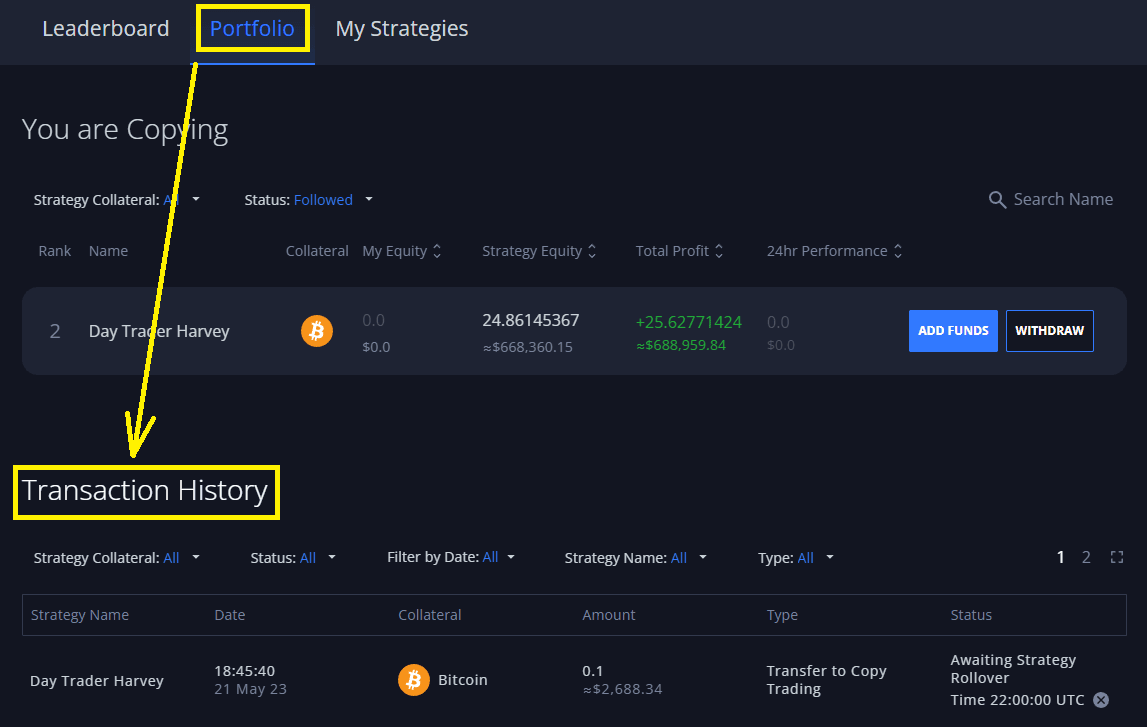
Tutti i Followings attivi di un Follower sono riflessi nel loro [Portafoglio ](https://margex.com/app/copytrading/portfolio)di Copytrading:
Qui i follower possono gestire tutti i loro Followings attivi e le statistiche dei Followings:
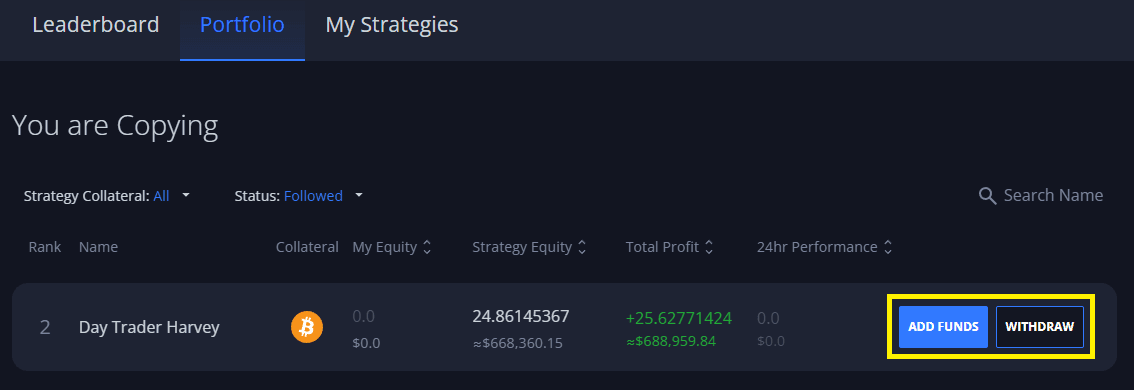
1. **Aggiungere fondi** o prelevare fondi dai loro Followings attivi (consulta i [rinnovi della strategia](/help-center/it/copy-trading/traders/strategy-settings.md#strategy-rollovers) per ulteriori dettagli relativi al prelievo e al deposito di fondi dai Followings attivi):
Tutte le richieste di deposito/prelievo di fondi da un Following attivo vengono elaborate durante il rollover più vicino della strategia corrispondente.
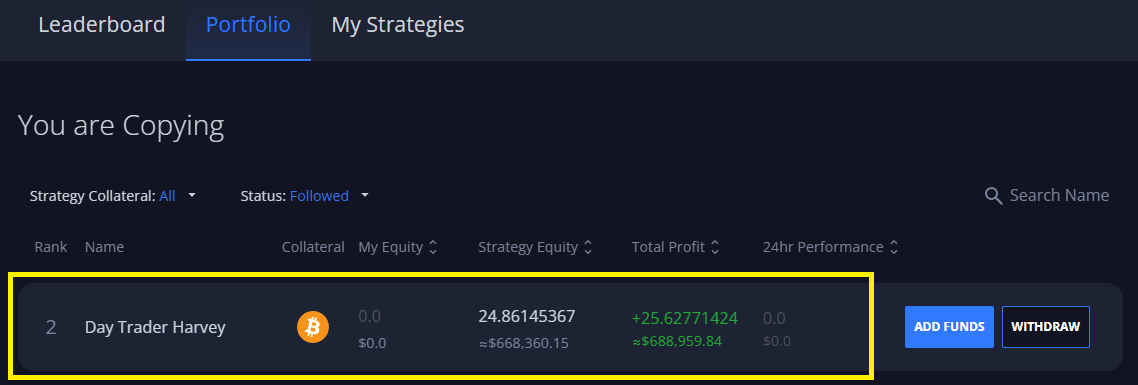
2. Consulta lo stato attuale dei Followings attivi e le statistiche corrispondenti della strategia (come il patrimonio netto della strategia, il ROE, i grafici di redditività, ecc.):
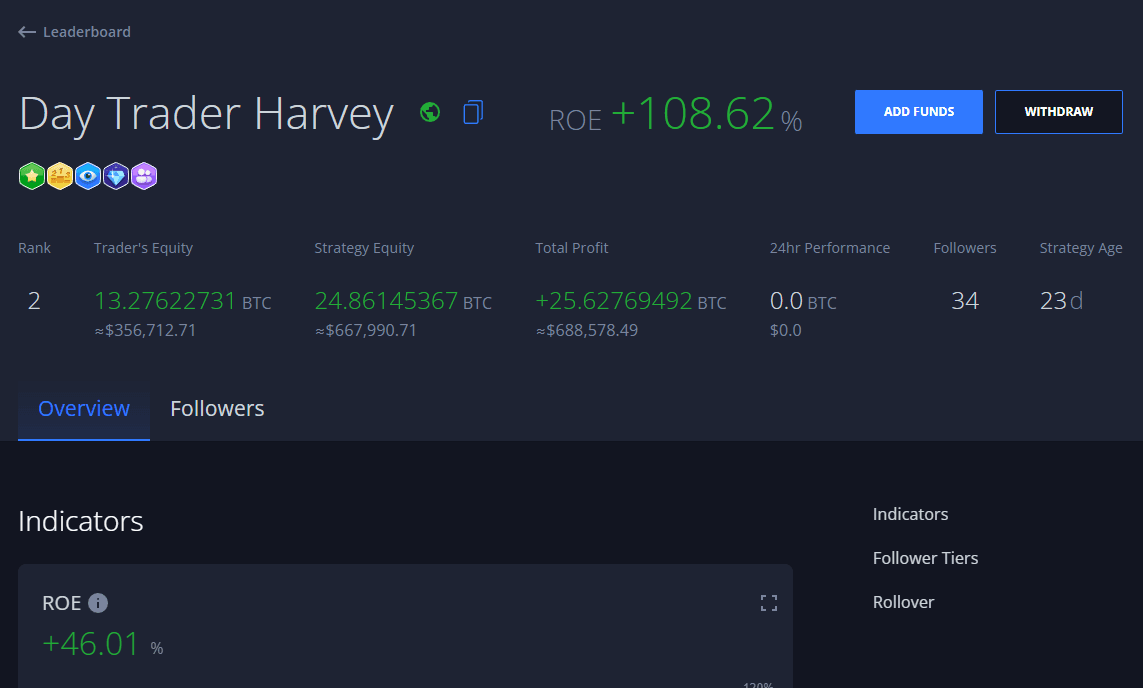
Cliccando su un Following si aprirà la pagina delle statistiche della strategia corrispondente, dove i Follower possono trovare tutti i dettagli della Strategia, inclusa una suddivisione del patrimonio netto, il ROE%, i grafici di redditività, la cronologia delle negoziazioni, le statistiche dei Follower, ecc.:
3. **Cronologia delle transazioni**: riflette tutte le transazioni relative al tuo portafoglio di Followings. Questo include prelievi/depositi completati e in sospeso da/per le Strategie, la quota di [profitto (ricompense)](/help-center/it/copy-trading/follower-tiers-rewards.md) assegnata al Trader di una strategia, ecc:

 Tutte le richieste di deposito/prelievo di fondi da un Following attivo vengono elaborate durante il rollover più vicino della strategia corrispondente.
2. Consulta lo stato attuale dei Followings attivi e le statistiche corrispondenti della strategia (come il patrimonio netto della strategia, il ROE, i grafici di redditività, ecc.):
Tutte le richieste di deposito/prelievo di fondi da un Following attivo vengono elaborate durante il rollover più vicino della strategia corrispondente.
2. Consulta lo stato attuale dei Followings attivi e le statistiche corrispondenti della strategia (come il patrimonio netto della strategia, il ROE, i grafici di redditività, ecc.):
 Cliccando su un Following si aprirà la pagina delle statistiche della strategia corrispondente, dove i Follower possono trovare tutti i dettagli della Strategia, inclusa una suddivisione del patrimonio netto, il ROE%, i grafici di redditività, la cronologia delle negoziazioni, le statistiche dei Follower, ecc.:
 3. **Cronologia delle transazioni**: riflette tutte le transazioni relative al tuo portafoglio di Followings. Questo include prelievi/depositi completati e in sospeso da/per le Strategie, la quota di [profitto (ricompense)](/help-center/it/copy-trading/follower-tiers-rewards.md) assegnata al Trader di una strategia, ecc: