> For the complete documentation index, see [llms.txt](https://help.margex.com/help-center/llms.txt). Markdown versions of documentation pages are available by appending `.md` to page URLs; this page is available as [Markdown](https://help.margex.com/help-center/tr/copy-trading/followers/manage-followings.md).
# Takipçi Portföyü
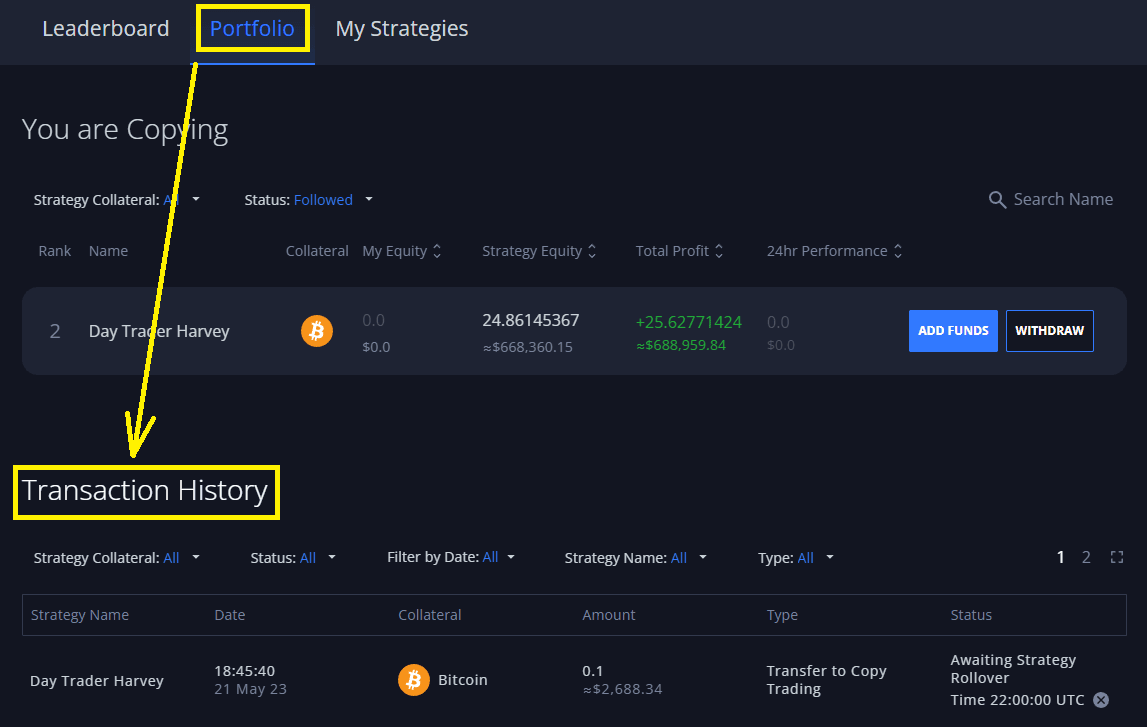
Portföy menüsünden takiplerinizi yönetin: Burada fon ekleyebilir/çekebilir, takip ettiğiniz stratejilerin istatistiklerini inceleyebilir, portföy performansını takip edebilirsiniz.
*Bir Stratejiye nasıl takip edileceğini öğrenmek için, takipçiler için kısa başlangıç kılavuzumuza göz atmayı unutmayın:* [*Hızlı Başlangıç: Strateji Nasıl Takip Edilir*](/help-center/tr/copy-trading/followers/quick-start-how-to-follow.md)*.*
***
## Aktif Takiplerinizi Yönetme
Bir takipçinin tüm aktif takipleri, Copytrading [Portföyü'nde ](https://margex.com/app/copytrading/portfolio)yansıtılır:
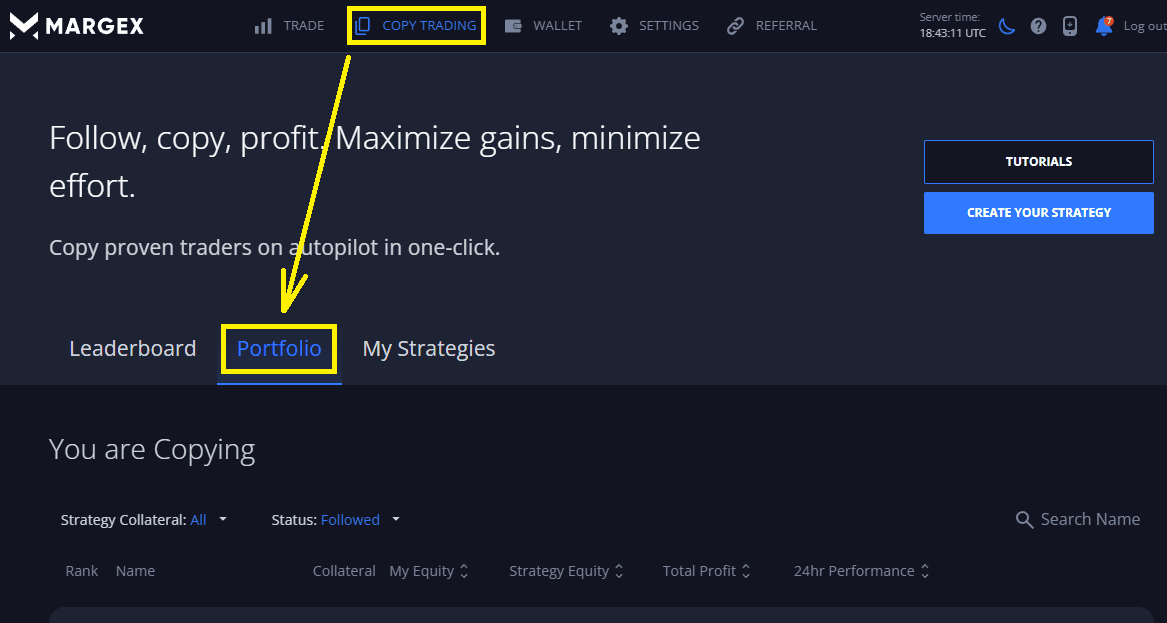 Burada takipçiler, aktif takiplerini ve takiplerinin istatistiklerini yönetebilir:
1. Aktif Takiplerinden fon ekleyebilir veya çekebilirsiniz (aktif takiplerden fon yatırma ve çekme ile ilgili ek bilgiler için [strateji dönüşlerine](/help-center/tr/copy-trading/traders/strategy-settings.md#strategy-rollovers) bakın):
Burada takipçiler, aktif takiplerini ve takiplerinin istatistiklerini yönetebilir:
1. Aktif Takiplerinden fon ekleyebilir veya çekebilirsiniz (aktif takiplerden fon yatırma ve çekme ile ilgili ek bilgiler için [strateji dönüşlerine](/help-center/tr/copy-trading/traders/strategy-settings.md#strategy-rollovers) bakın):
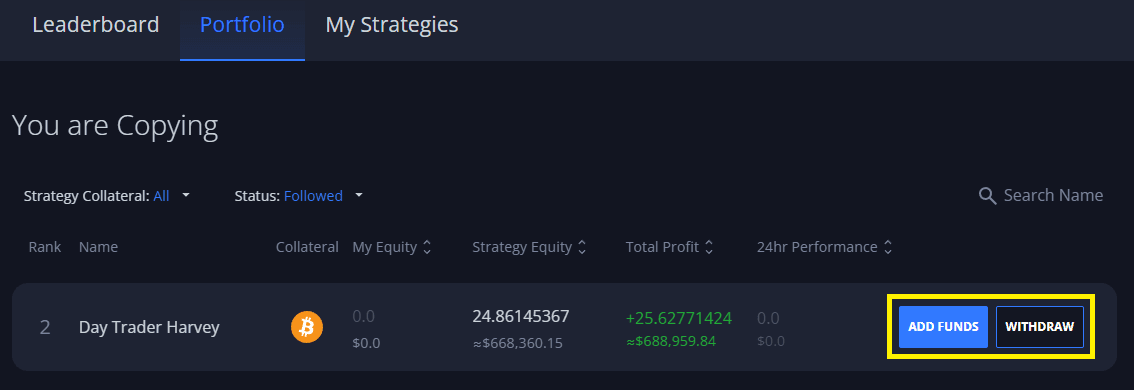 Aktif takiplerden fon yatırma/çekme talepleri, ilgili stratejinin en yakın dönüşü sırasında işlenir.
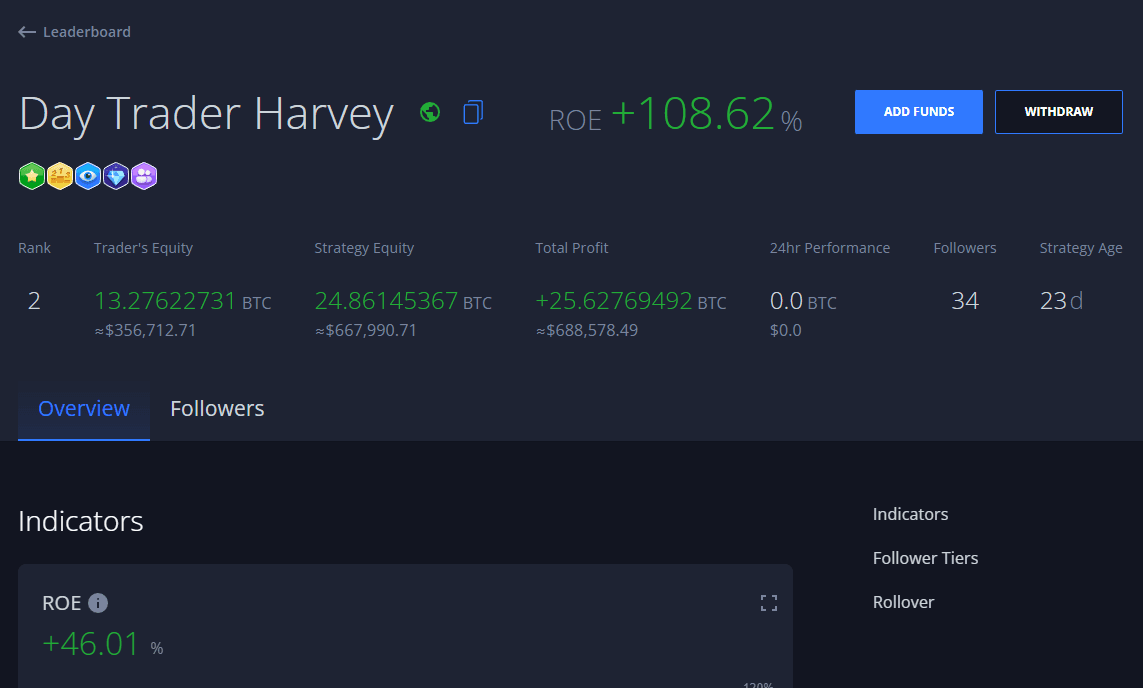
2. **Aktif takiplerin güncel durumunu ve ilgili stratejinin istatistiklerini inceleyebilirsiniz** (strateji sermayesi, ROE, kârlılık grafiklerinin yanı sıra, vb.):
Aktif takiplerden fon yatırma/çekme talepleri, ilgili stratejinin en yakın dönüşü sırasında işlenir.
2. **Aktif takiplerin güncel durumunu ve ilgili stratejinin istatistiklerini inceleyebilirsiniz** (strateji sermayesi, ROE, kârlılık grafiklerinin yanı sıra, vb.):
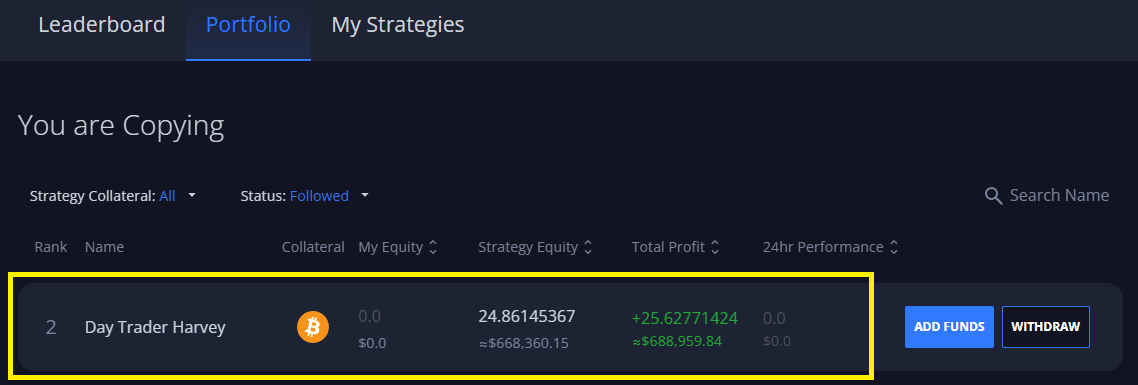 Bir takibe tıklamak, ilgili stratejinin istatistik sayfasını açacak ve burada takipçiler stratejinin tüm detaylarını bulabilir, buna sermaye, ROE%, kârlılık grafikler, ticaret geçmişi, takipçi istatistikleri vb. dahildir.
 3. **İşlem Geçmişi** - Takiplerinizin portföyüyle ilgili tüm işlemleri yansıtır. Bu, stratejilere yapılan tamamlanmış ve bekleyen fon yatırma/çekme işlemleri, Strateji Yatırımcısına tahsis edilen [Kar Payı](/help-center/tr/copy-trading/follower-tiers-rewards.md#follower-tiers) (ödüller) vb. içerir.