> For the complete documentation index, see [llms.txt](https://help.margex.com/help-center/llms.txt). Markdown versions of documentation pages are available by appending `.md` to page URLs; this page is available as [Markdown](https://help.margex.com/help-center/margex/trading-conditions/promo-codes.md).
# Promo Codes
Promo codes can be activated on the Wallet page of your Margex account to receive unique rewards and boost your trading experience.
**Promo codes** are unique codes found on social media channels, blogs, in trading forums and other sources, granting the user special bonuses.
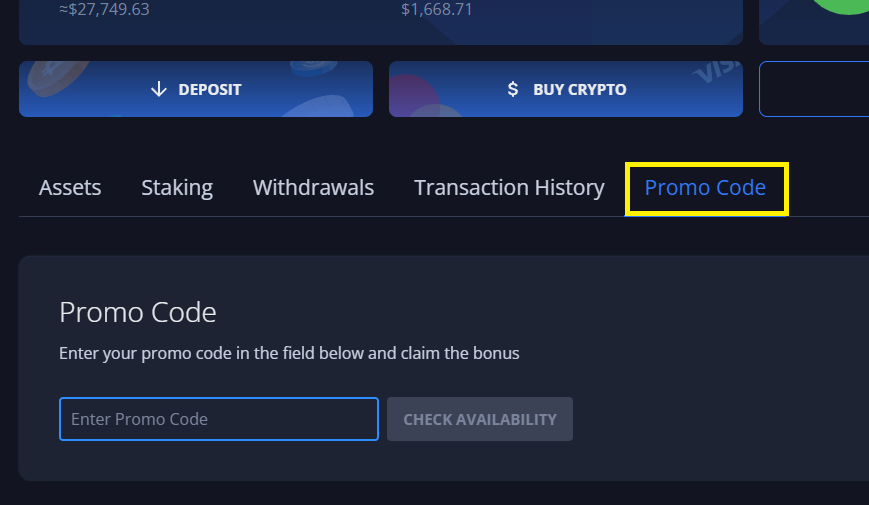
If you have a promo code that you want to redeem, simply navigate to the **Promo Code** tab in your [Wallet](https://margex.com/app/wallet/promo-codes):
### Promo Code Types
There are several types of promo codes available on Margex:
Standard Promo Codes(click to expand)
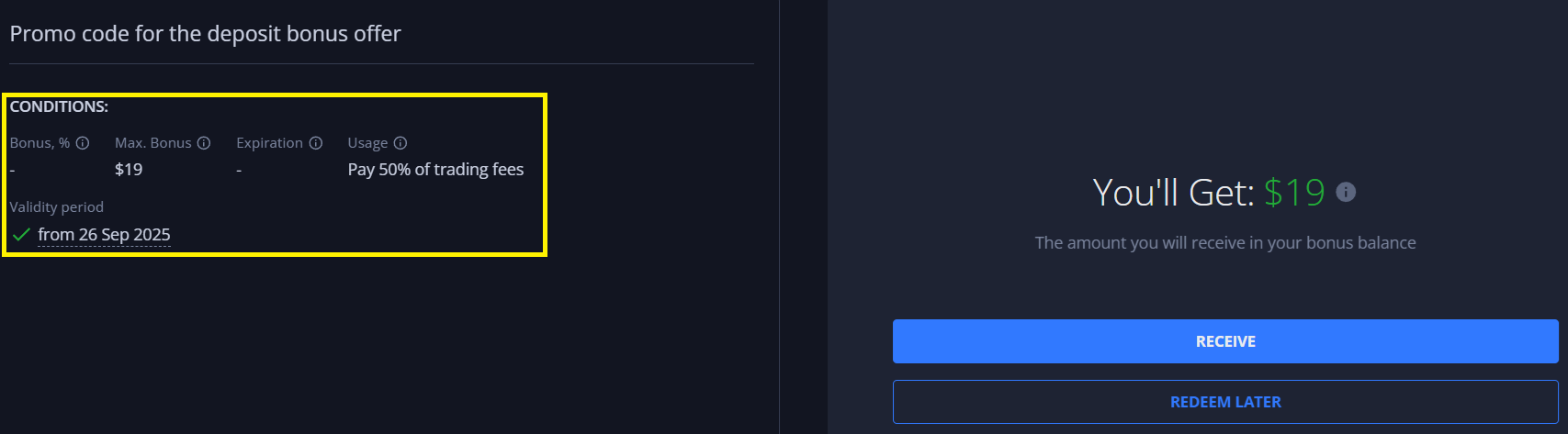
These promo codes can be activated at any time (while valid) and do not require any additional actions:
Conditional Promo Codes(click to expand)
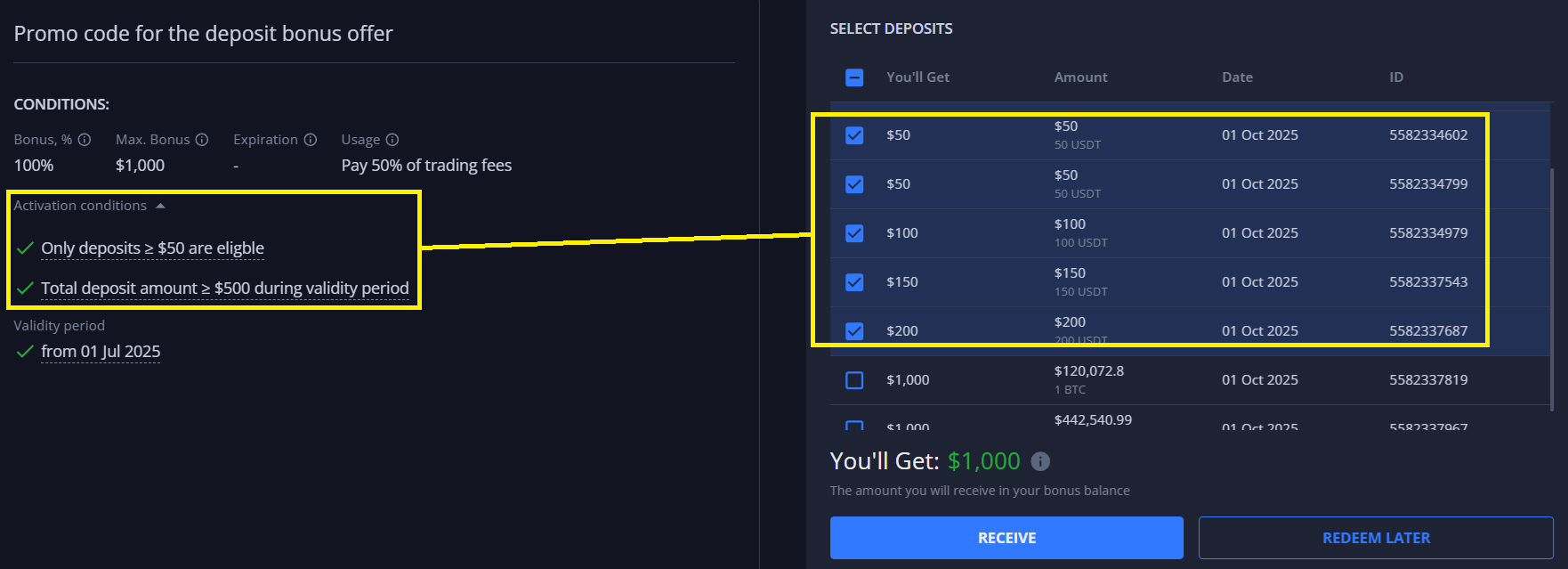
Some promocodes may have unique conditions/requirements. For example, if activating a deposit bonus type promo code you can additionally choose which of your deposits you wish to apply the promo code to:
As seen in the image - this promo code provides up to a 100% deposit bonus (up to a maximum of $1000 bonus) based on the selected deposits that meet the promo code conditions.
Loss Coverage Promo Codes (click to expand)
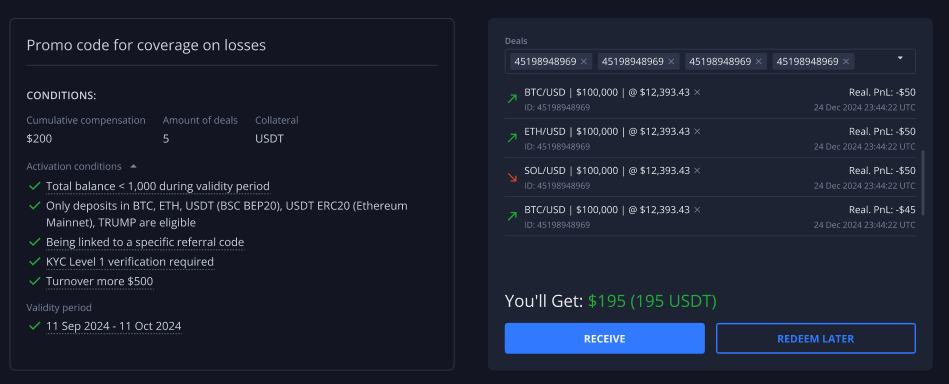
These types of promo codes allow user to compensate a defined amount of funds from the negative PnL of trades that are eligible for coverage (i.e. opened and closed within a certain time period, leveraged using a certain collateral, etc.)
When activating such a promo code, if all usage conditions are met, a list of applicable positions will appear in the corresponding field on the right. After applying to these positions, a fixed cumulative amount of funds will be credited from the selected deals to the user's corresponding collateral wallet balance.
Once everything is set, you'll see the amount **you'll receive** at your wallet address in the corresponding field, as referenced in the screenshot.
{% hint style="success" %}
It is important to note the following conditions:
* Such promo codes are one-time use only
* The compensated amount is **cumulative** (i.e., is a sum of Realized PnLs of all the selected positions) and could be limited to a certain **number of deals.**
{% endhint %}
{% hint style="warning" %}
Any deposit, transaction, or trade that has been used to claim a promo code cannot be used to activate a promo code again.\
\
For example, it is not possible to apply 2 separate promo codes (or use the same promocode) to a single deposit/transaction/trade if it has already been used to claim a different promo code previously.
{% endhint %}
### Promo Code Storage and History
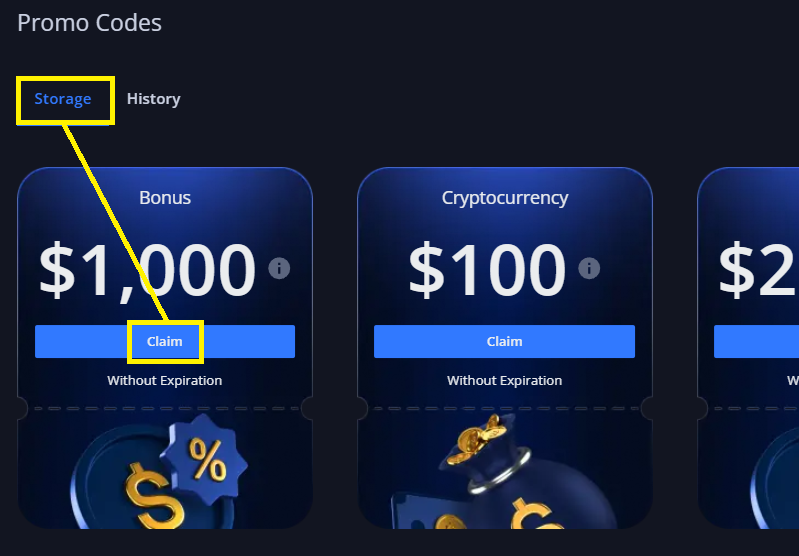
The promo code **Storage** tab reflects all promo codes that you have entered but have not yet claimed.\
\
For example if you have entered a promo code but do not meet the conditions of this promo code - it will be reflected in your Storage and can be claimed at a later time (until the expiry date):
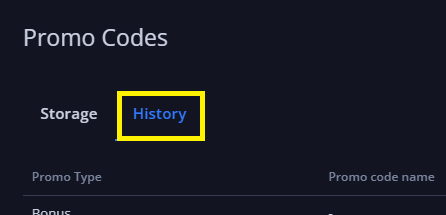
The promo code **History** tab reflects historical details of your activated and claimed promo codes and any corresponding transactions that occurred on your account: